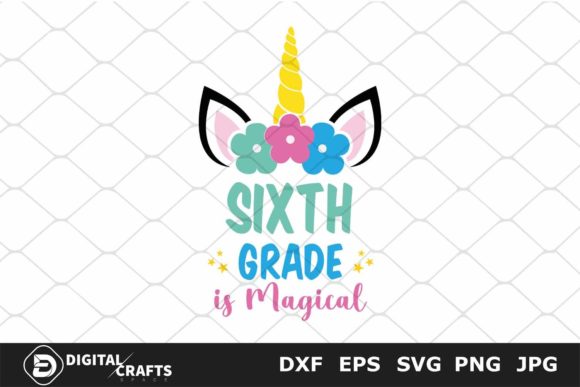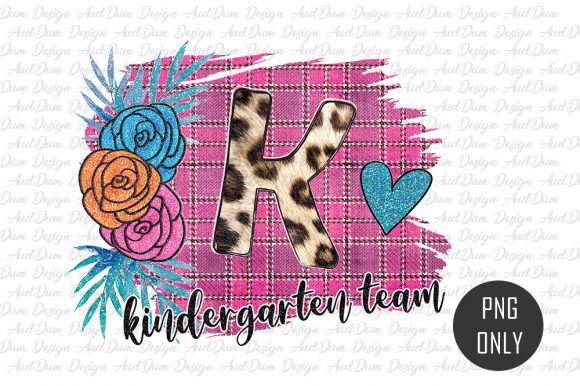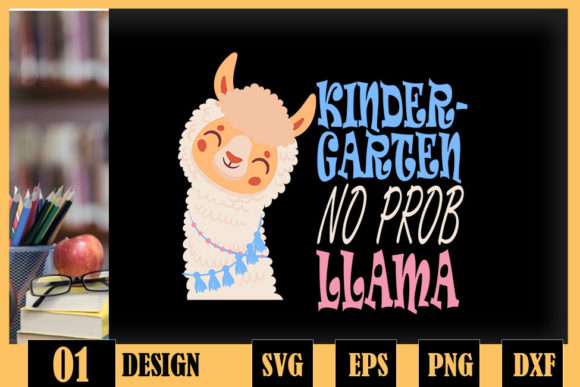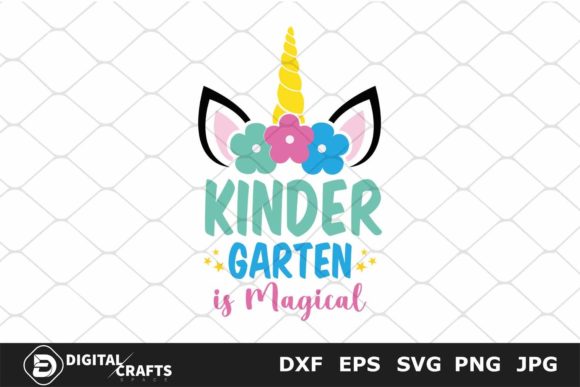
Kindergarten Is Magical: Back to School Design Assets
There is something genuinely special about the start of kindergarten. It is often a child’s first real step into a world of structured learning, new friendships, and daily adventures. Parents, teachers, and creators alike want to mark this milestone with warmth, creativity, and a touch of whimsy. That is exactly where the Kindergarten is Magical, Back to School digital asset collection comes in. This set of five versatile file formats gives you everything you need to produce custom projects that celebrate this big moment—without requiring a design degree or expensive software.
Whether you are a hobbyist making a shirt for your own child, a small business owner fulfilling custom orders, or an educator preparing classroom decorations, these files save time and deliver professional results. Let’s walk through what makes this collection useful, how you can put it to work, and what to consider when using it in your own projects.
What Exactly Is Included in This Set?
The Kindergarten is Magical, Back to School package arrives as a single zip folder containing five individual digital files. Each format serves a specific purpose, so you can pick the one that matches your workflow:
- SVG file – designed for Cricut Explore, Silhouette Designer Edition, Adobe Suite, Inkscape, Corel Draw, and other vector-based programs.
- EPS file – works seamlessly in Adobe Illustrator, Inkscape, Corel Draw, and similar professional vector tools.
- DXF file – ideal for Silhouette Designer Edition users who need a reliable cutting format.
- PNG file – high resolution (300 dpi) with a transparent background, perfect for digital use and print-on-demand.
- JPG file – a standard, widely compatible image that you can edit, resize, and recolor in any vector or cutting software like Inkscape, Adobe Illustrator, or Cricut Design Space.
Having all five formats in one download means you do not need to hunt down converters or worry about compatibility. Open the file that matches your tool, and you are ready to create.
Key Strengths of This Design Collection
The real value of this set lies not just in the formats, but in how the design itself is constructed. The artwork is clean, scalable, and built for cutting and printing alike. Here are the notable qualities that stand out:
- Vector precision – SVG, EPS, and DXF files allow you to scale the design up or down infinitely without losing sharpness. That means you can use the same file for a tiny sticker and a large poster.
- Transparent background PNG – saves you the hassle of removing backgrounds manually. Drop the image onto any colored surface or layered project instantly.
- High resolution – the PNG and JPG files are 300 dpi, so printed results look crisp and professional, even on fabric or paper.
- Editable and recolorable – because the files are vector-based (SVG, EPS, DXF) or high-quality raster (PNG, JPG), you can easily change colors, resize elements, or combine them with other designs in your preferred software.
- Broad software compatibility – whether you use free tools like Inkscape or premium ones like Adobe Illustrator, you will find a format that works out of the box.
This combination of flexibility and quality makes the collection a practical choice for anyone who wants to produce polished, custom items without repeated rework.
Practical Applications Across Different Environments
One of the best things about a well-made digital design file is its versatility. The Kindergarten is Magical, Back to School set can be used in many settings, from personal keepsakes to commercial product lines. Below are realistic ways people are putting these files to use.
Personal Projects and Family Keepsakes
If you are a parent or grandparent, this design is a natural fit for first-day-of-school outfits. Use the SVG or DXF file to cut iron-on vinyl for a custom t-shirt, tote bag, or lunchbox. The phrase “Kindergarten is Magical” pairs beautifully with a simple star, rainbow, or school bus graphic. You can also create a framed print for a child’s bedroom wall or a scrapbook page marking the milestone. Because the PNG file has a transparent background, you can add it to a digital photo collage or a holiday card without extra editing.
Classroom and Educational Use
Teachers and educators will find this design handy for decorating a kindergarten classroom. Create a welcoming bulletin board banner, name tags, or door signs using the JPG or PNG file printed on cardstock. If you have access to a cutting machine, cut the SVG file from adhesive vinyl to label cubbies, bins, or a “magical kindergarten” welcome sign. The scalable vector formats mean you can enlarge the design to poster size without pixelation. For digital classrooms, drop the PNG into a Google Slide or Seesaw activity to add a cheerful theme.
Small Business and Commercial Projects
If you run a small creative business—selling on Etsy, at craft fairs, or through social media—this design gives you a ready-to-use asset for product listings. Common commercial applications include:
- Custom t-shirts, onesies, and hoodies
- Personalized gift items like mugs, pillows, and tote bags
- Party supplies such as cupcake toppers, favor tags, and banners
- Print-on-demand products through platforms like Printful or Amazon Merch
- Sticker sheets and decals for laptops, water bottles, or notebooks
Because the files are cleanly cut and separated, you can combine them with other design elements—like a child’s name or a school year—without fighting with complex layers. The transparent PNG is especially useful for mockup presentations or social media posts showcasing your finished product.
Digital Content and Marketing
Bloggers, social media managers, and content creators can use the PNG and JPG files to create eye-catching graphics. Add the design to a Pinterest pin, an Instagram post, or a Facebook banner announcing back-to-school season. The high resolution ensures it looks sharp on screens and in print. If you run a parenting or education blog, this design can be part of free printable resources for your audience, such as coloring pages, milestone cards, or gift tags.
Usability, Efficiency, and Real-World Benefits
Beyond the obvious creative possibilities, this design collection offers several practical advantages that affect how you work and what you deliver.
- Time savings – you are buying a finished, optimized design instead of starting from scratch. No need to trace, clean up paths, or adjust line thickness. Open the file and start cutting or printing immediately.
- Reduced material waste – vector files allow you to test size and placement on screen before cutting. You can also nest multiple designs on one sheet of vinyl or cardstock, saving material.
- Consistent branding – if you offer custom kindergarten products, using the same high-quality design across multiple items creates a cohesive look that customers recognize and trust.
- Better user experience – for buyers of your finished products, a well-designed shirt or gift feels intentional and polished. That leads to positive reviews, repeat orders, and word-of-mouth referrals.
- Accessibility – because the files work with both free and paid software, you are not locked into a specific ecosystem. A hobbyist using Inkscape can achieve the same result as a professional using Illustrator.
Practical Considerations When Using These Files
To get the most out of the Kindergarten is Magical, Back to School collection, keep a few practical tips in mind:
- Check software compatibility before purchasing. If you primarily use Silhouette Studio, the DXF or SVG format will serve you best. Cricut users should stick with SVG. For print-only projects, PNG or JPG is perfectly adequate.
- Test your cutting settings. Different materials (vinyl, cardstock, heat transfer) require different blade depths and pressures. Run a small test cut first to avoid ruining material.
- Respect licensing terms. Most digital design files for cutting and printing come with specific usage rights. Some allow unlimited commercial use, while others restrict mass production. Verify the license for this set before selling finished items in large quantities.
- Keep backups. Once you unzip the folder, store the files in a dedicated folder on your computer or cloud drive. Losing a download link is frustrating, especially if you need to re-cut a design later.
- Experiment with color variations. Since the vector files are editable, try recoloring the design for different seasons, holidays, or school themes. A gold and white version for a graduation party or a red and blue variant for a school spirit event are easy to create.
Final Observations and Recommendations
The Kindergarten is Magical, Back to School digital asset set is a well-rounded, practical choice for anyone involved in creative projects around early childhood education and milestone celebrations. It strikes a good balance between professional quality and beginner-friendliness, offering formats that work across a wide range of software and use cases. Whether you are a seasoned creator producing inventory for a shop, a teacher designing a warm classroom environment, or a parent crafting a memorable first-day outfit, this collection gives you a solid starting point.
What makes it stand out is not any single feature, but the convenience of having all five formats ready to go. You avoid the common frustration of downloading a file only to realize it does not work with your machine or program. Instead, you can focus on the fun part—bringing the magic of kindergarten to life through your own creative touch.
If you are planning back-to-school projects this year, consider how a clean, scalable design like this can save you time, reduce stress, and produce results that genuinely delight both the maker and the recipient. That kind of return on a small investment is hard to beat.