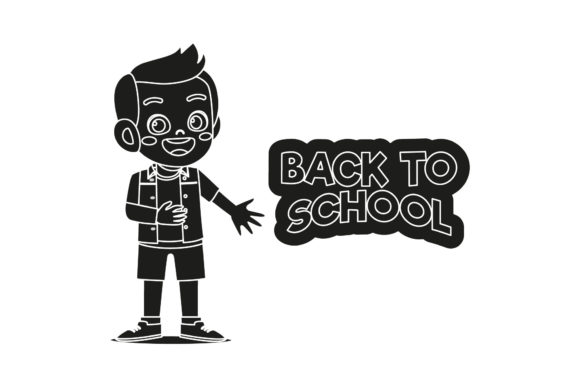
Evaluating Back to School Student Silhouette Assets for Your Projects
Creating materials for the back-to-school season requires efficient use of time and a reliable source of clean, consistent visual elements. Design assets grouped under the description "Back to School Student Silhouette" offer a specific solution: scalable, monochrome graphics depicting students in common school contexts. This article provides a balanced assessment of what these assets include, their practical strengths, and the key constraints you should weigh before buying. The goal is to help you decide whether a silhouette-based approach supports your project's objectives, or whether alternative visual styles might serve your needs more effectively.
What Are Back to School Student Silhouette Graphics?
A "Back to School Student Silhouette" design pack typically contains solid, outlined shapes that represent students engaged in school-related activities. These often include figures walking with backpacks, standing in groups, sitting at desks, or interacting with objects like books and school buses. The product in question includes six digital files: AI (Adobe Illustrator), EPS (Encapsulated PostScript), SVG (Scalable Vector Graphics), DXF (for CAD and cutting machines), JPG, and PNG. The canvas size is standardized at 1920 pixels by 1280 pixels, providing a consistent base for layout planning.
Understanding the technical format is the first step in evaluation. Vector files (AI, EPS, SVG) allow you to scale the artwork to any size without loss of quality, making them suitable for everything from a business card to a large poster. The DXF format is particularly useful for users of Cricut or Silhouette cutting machines. Raster files (JPG, PNG) serve users who need a ready-to-use image without editing software. The 3:2 aspect ratio of the base canvas is another practical detail—it fits standard horizontal layouts well but may require cropping or resizing for square social media graphics or vertical flyers.
Why Consider This Type of Design Asset?
The decision to purchase pre-made silhouettes frequently comes down to a balance of cost, time, and aesthetic requirements. Users evaluating this pack often find it appealing for several concrete reasons.
- Versatility Across Mediums: Silhouettes work well for screen-printed merchandise, vinyl decals, classroom posters, newsletter headers, and digital thumbnails. The simple, solid shapes are easy to reproduce in various materials and sizes.
- Time Efficiency: Creating a detailed, polished silhouette from scratch takes significant skill and time. A pre-made pack reduces production time to simply opening the file and placing the graphic into your layout.
- Technical Flexibility: The inclusion of AI, SVG, DXF, and EPS formats ensures compatibility with a wide range of software environments, from professional design suites to hobbyist cutting software. This reduces the friction of format conversion.
- Visual Consistency: Using a unified set of silhouettes across a campaign—such as a school's welcome packet, website banner, and event flyer—creates a cohesive, recognizable visual identity with minimal effort.
- Low Cost Compared to Alternatives: Purchasing a single asset pack is generally less expensive than commissioning custom illustrations or subscribing to a full stock image library, especially for small projects or one-time events.
These factors make the pack an attractive option for users who need a quick, professional-looking graphic for straightforward applications. However, a complete evaluation also requires examining the format's inherent limitations.
Understanding the Limitations and Tradeoffs
While the benefits are clear, the silhouette style and the specific structure of this pack present constraints that may affect its suitability for certain projects. Evaluating these limitations honestly will prevent a mismatch between the asset and your goals.
- Lack of Specificity and Representation: Silhouettes, by definition, omit facial features, clothing details, and cultural signifiers. A silhouette of a "student" shows a generic outline. If your project requires representing specific ages, ethnic backgrounds, abilities, or emotional expressions, a silhouette pack will not meet that need. This can be a significant limitation for schools or organizations emphasizing inclusivity and diverse representation.
- Stylistic Fit: The minimalist, monochrome aesthetic of silhouettes may clash with a brand or project that uses vibrant colors, cartoonish characters, or highly detailed illustrations. It is important to assess whether the clean, flat look of a silhouette aligns with the overall design language of your materials.
- Software Skill Requirement: While the pack includes JPG and PNG for immediate use, leveraging the full potential of the vector files (AI, SVG) requires knowledge of design software. Changing colors, combining figures, or resizing without distortion requires basic proficiency with vector editing tools.
- Fixed Aspect Ratio for Raster Files: The provided JPG and PNG files are locked at 1920x1280 pixels. If your project requires a different aspect ratio—such as a square Instagram post or a tall vertical banner—you will need to edit the vector files or accept that the raster files will require cropping, which may cut off important parts of the design.
These constraints suggest that while the asset is a strong tool for specific jobs, it is not a universal solution. The next step is to identify which types of projects align well with these characteristics and which do not.
Projects Where Student Silhouettes Are a Strong Fit
For certain applications, the simplicity of a silhouette is a feature, not a bug. Here are scenarios where a Back to School Student Silhouette pack is particularly well-suited.
- Screen Printing and Merchandise: Solid silhouettes are ideal for screen printing because they require fewer colors and simpler screens. T-shirts, tote bags, and hoodies for school spirit wear benefit from this clean, cost-effective style.
- Vinyl Cutting and Crafting: The DXF and SVG formats are purpose-built for cutting machines. Teachers and crafters can use these files to create classroom wall decals, locker decorations, or iron-on transfers with precise edges.
- Minimalist Digital Graphics: For social media headers, email newsletter graphics, or slide deck covers, a well-placed silhouette can serve as a strong, uncluttered visual anchor that complements text without distracting.
- Budget-Conscious Productions: If you have limited funds for design but need a professional look, a pre-made silhouette pack offers high value relative to its cost. It provides a ready-to-use graphic that would take hours to create manually.
Scenarios Where Alternatives May Be Preferable
In contrast, certain project requirements will push you toward other types of assets, such as detailed illustrations, stock photography, or custom vector art.
- When Diverse Representation Is Critical: If your goal is to depict students of different races, abilities, or ages in a realistic way, silhouettes cannot provide that specificity. High-quality stock photos or detailed illustrated packs with diverse characters will be more effective.
- For High-Detail Marketing Campaigns: A professional brochure, a website hero image, or a paid advertisement often requires visual richness and detail that silhouettes lack. Full-color illustrations or photographs create a more polished and engaging first impression.
- Interactive or Educational Content: Worksheets, apps, or learning materials that require students to identify specific actions, objects, or emotions need clear visual cues that silhouettes cannot convey. Detailed line art or full-color illustrations are better suited for instructional design.
- Strict Brand Guidelines: If your organization has a defined visual style that includes specific character designs, colors, or illustration techniques, a generic silhouette pack will not align. Custom-designed assets are necessary to maintain brand consistency.
Practical Framework for Making Your Decision
Deciding whether this asset aligns with your needs requires matching its strengths to your project's specific demands. The following framework can guide your evaluation.
- Define Your Output Medium. Are you printing on fabric, paper, or making a decal? For screen printing and vinyl cutting, silhouettes are often the best choice. For high-resolution print marketing, photographs or detailed illustrations usually perform better.
- Analyze Your Target Audience. Who will see this graphic? Young children often respond better to colorful, expressive characters. Parents and professional audiences may appreciate the clean, modern simplicity of silhouettes.
- Audit Your Technical Skills and Tools. Do you have access to software that can open AI or SVG files? If not, you are limited to the provided JPG and PNG files. Confirm that the aspect ratio works for your primary use case.
- Conduct a Cost-Benefit Analysis. Compare the purchase price to the value of your time. If this pack saves you an hour of work, it has likely paid for itself. If you need to spend additional time customizing the files to fit your needs, factor that into the total cost.
- Test for Flexibility. Consider whether you can combine multiple silhouettes to create a custom scene. Well-made vector files allow you to change colors, rotate figures, and layer elements. If the files are structured cleanly, this adds significant design value.
By walking through these steps, you can determine whether the Back to School Student Silhouette pack is a practical addition to your toolkit or whether your project would benefit from a different type of visual asset. The right choice depends on a clear understanding of your output requirements, audience expectations, and available resources.
In summary, silhouette graphics occupy a useful niche for straightforward, cost-sensitive projects that benefit from clean, scalable shapes. For more complex or representation-focused work, dedicated illustrations or photography remain the stronger option. Evaluating these factors objectively will help you make a confident, informed decision.